User
Guide
Track every pedal you own and what it’s worth, and plan your boards to scale.
What’s inside
- 01Getting startedp.3
- 02Homep.4
- 03Your vaultp.5
- 04Adding pedalsp.6
- 05A pedal’s pagep.8
- 06What it’s worthp.10
- 07The GAS listp.11
- 08Selling & tradingp.12
- 09Boardsp.13
- 10Sharingp.16
- 11Profilep.17
- 12TPC Prop.18
- 13Questionsp.19
Chapter 1
Getting started
Two minutes from download to your first pedal.
Plug in
- 1Open the app and choose Continue with Apple, Google, or sign up with email.
- 2Answer a few questions about how you play, or skip them.
- 3You’re in! The Home tab feels empty, nearly time to start adding your pedals.
The five tabs
- Home: your vault at a glance.
- Vault: what you own, want and sell.
- Boards: your pedalboards.
- Videos: TPC episodes.
- Profile: stats and settings.
Chapter 2
Home
What you’ve got, what it’s worth, what’s new.
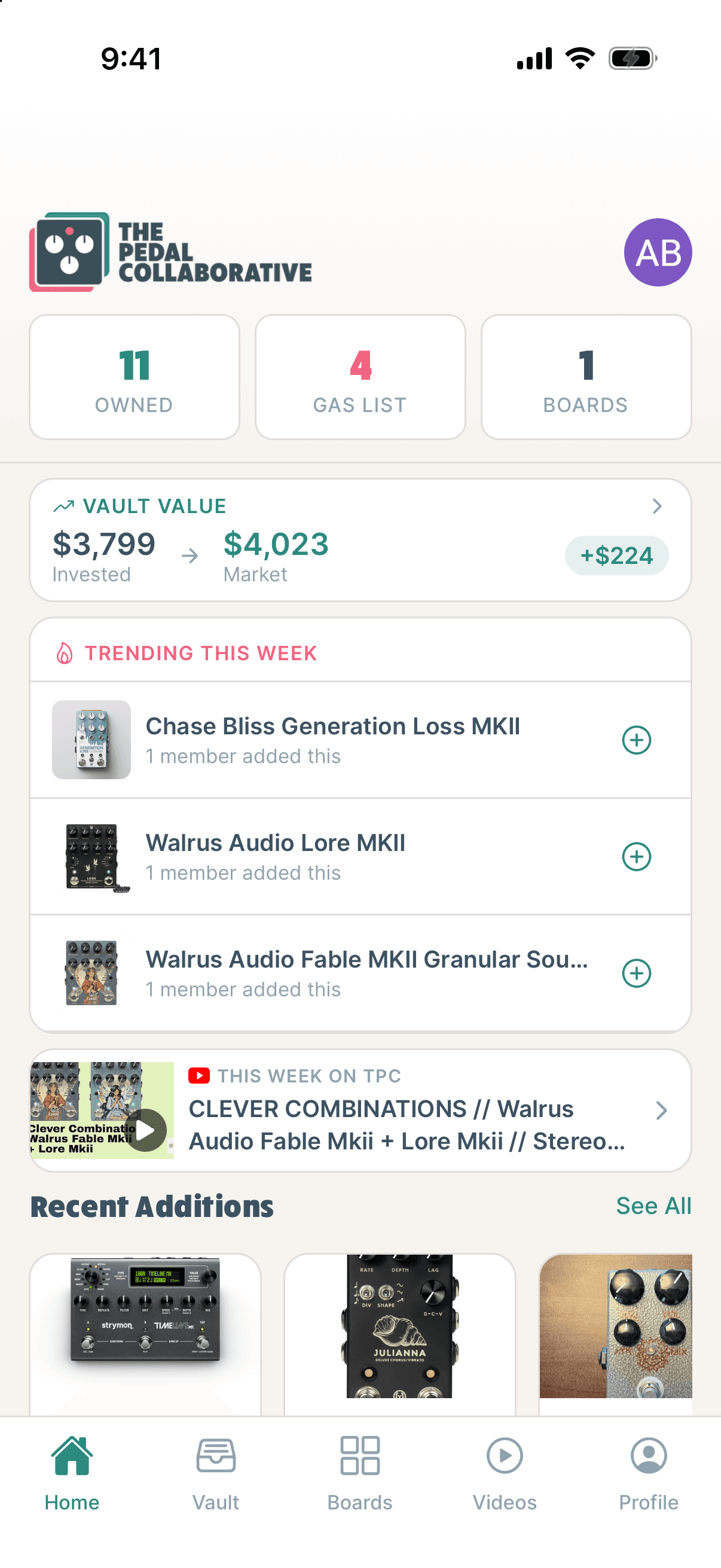
- AYour counts at a glance. Tap to jump.
- BVault Value. What you’ve invested vs. estimated value.
- CTrending. Pedals others just added. Tap + to want one too.
- DThis Week on TPC. Our latest episode.
Achievements pop up here from time to time, ready for you to share!
Chapter 3
Your vault
Every pedal you own, what you paid, and what it’s worth.
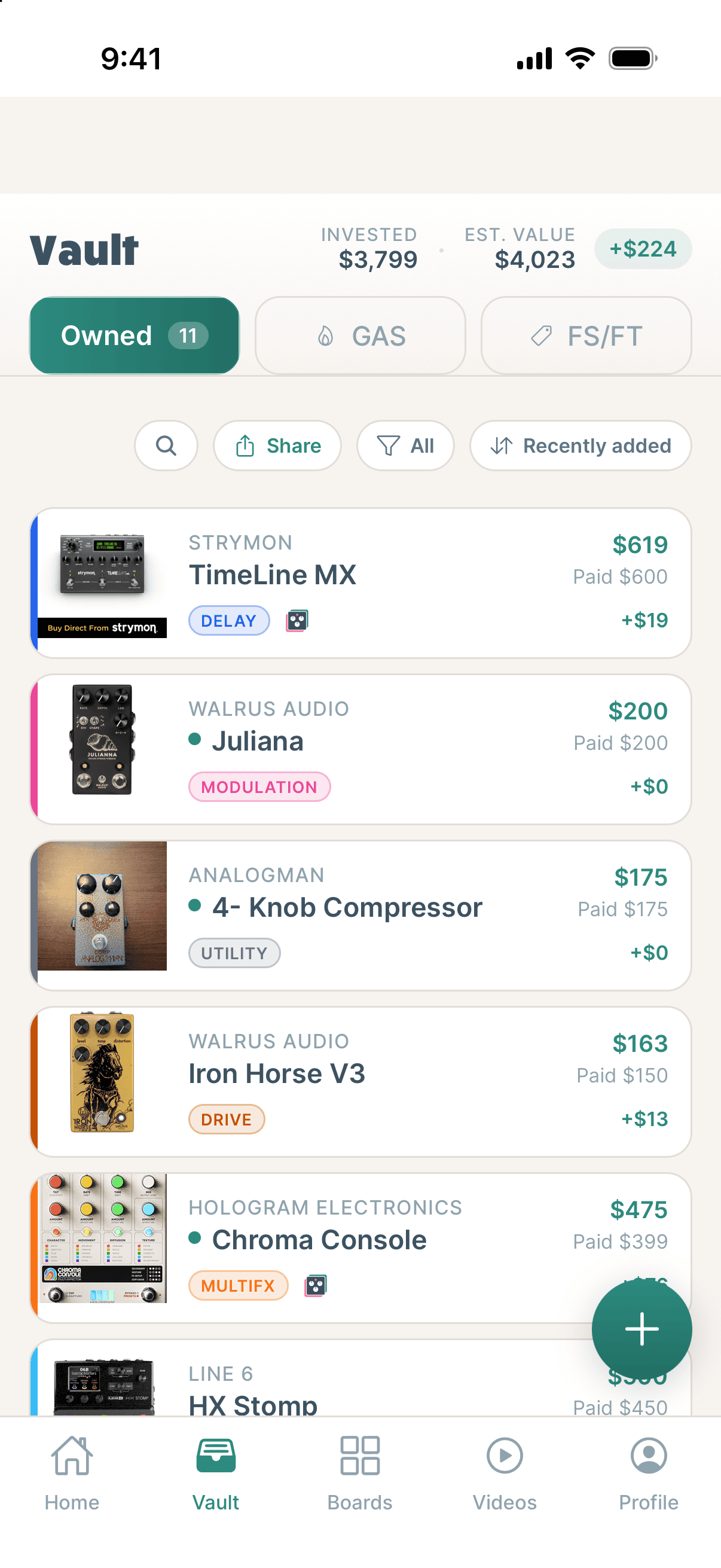
- AOwned, GAS, FS/FT.
- BSearch, share, filter, sort by value, gain and more.
- CValue paid and the difference.
- DBoard dot, in that board’s color.
- EAdd a pedal.
Chapter 4
Adding pedals
Snap it, search it, or type it in.
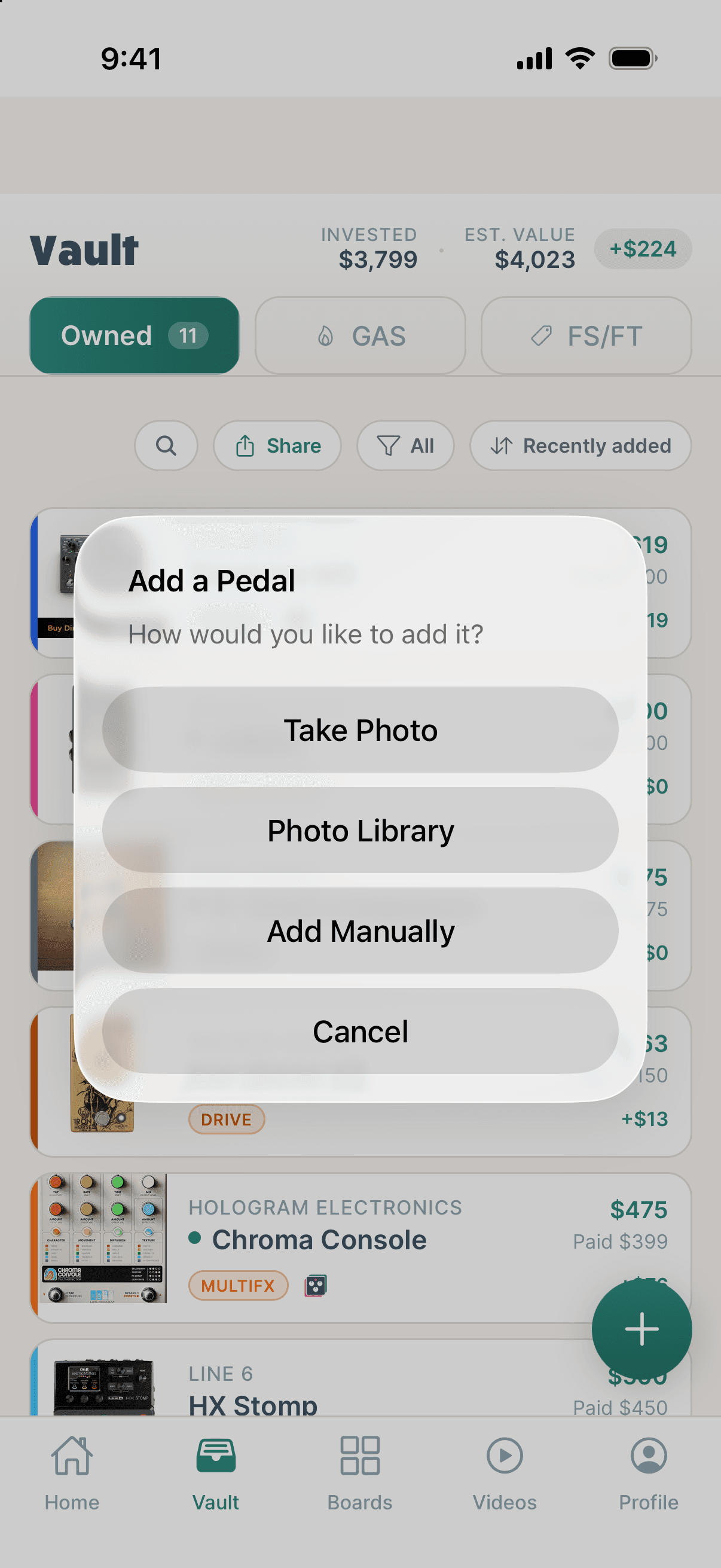
- ATake Photo of the pedal’s face and TPC suggests the brand and model.
- BPhoto Library.
- CAdd Manually.
Searching
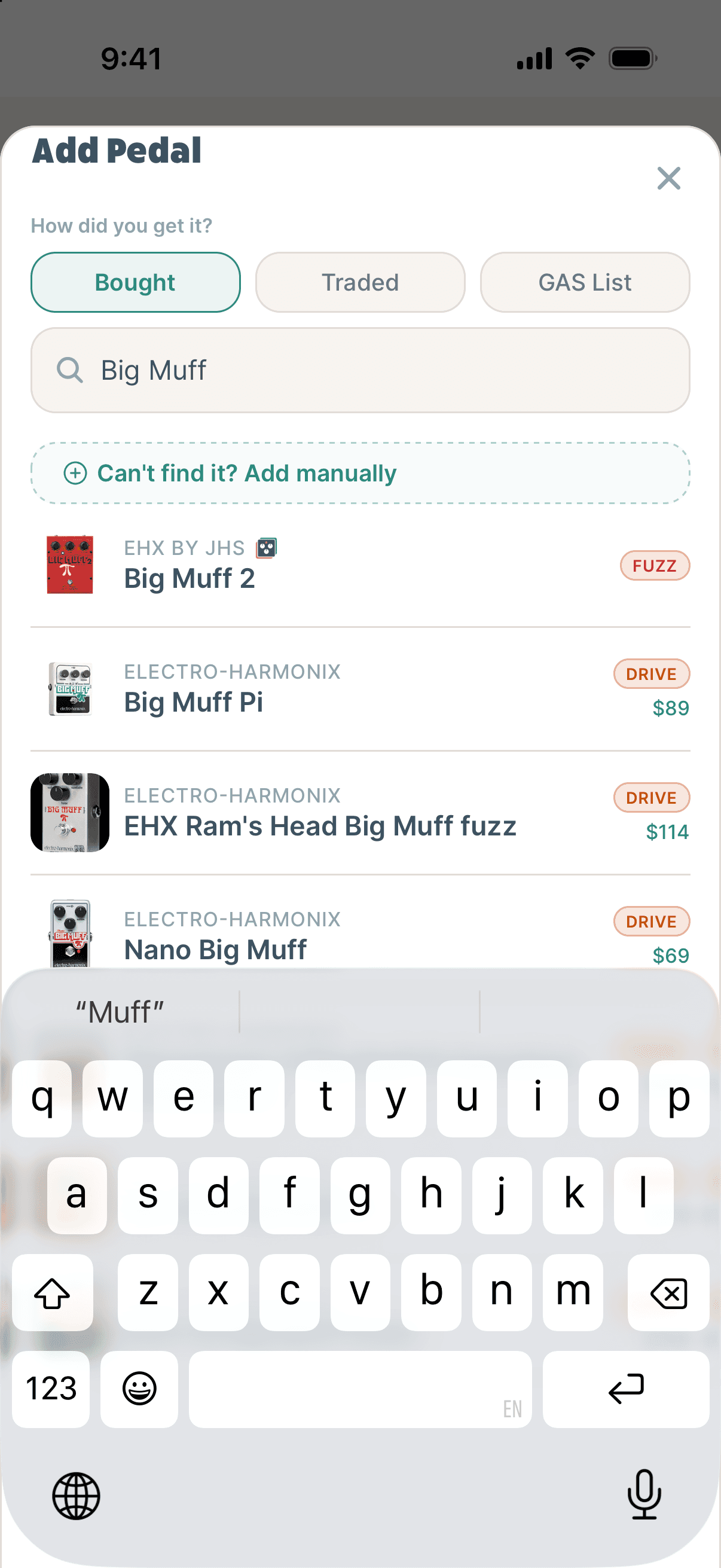
- AHow did you get it? Bought, Traded, or GAS List.
- BSearch the TPC catalog and Reverb. Free and unlimited.
- CCan’t find it? Add it by hand.
Chapter 5
A pedal’s page
Tap any pedal to open it. Change anything, then Save.
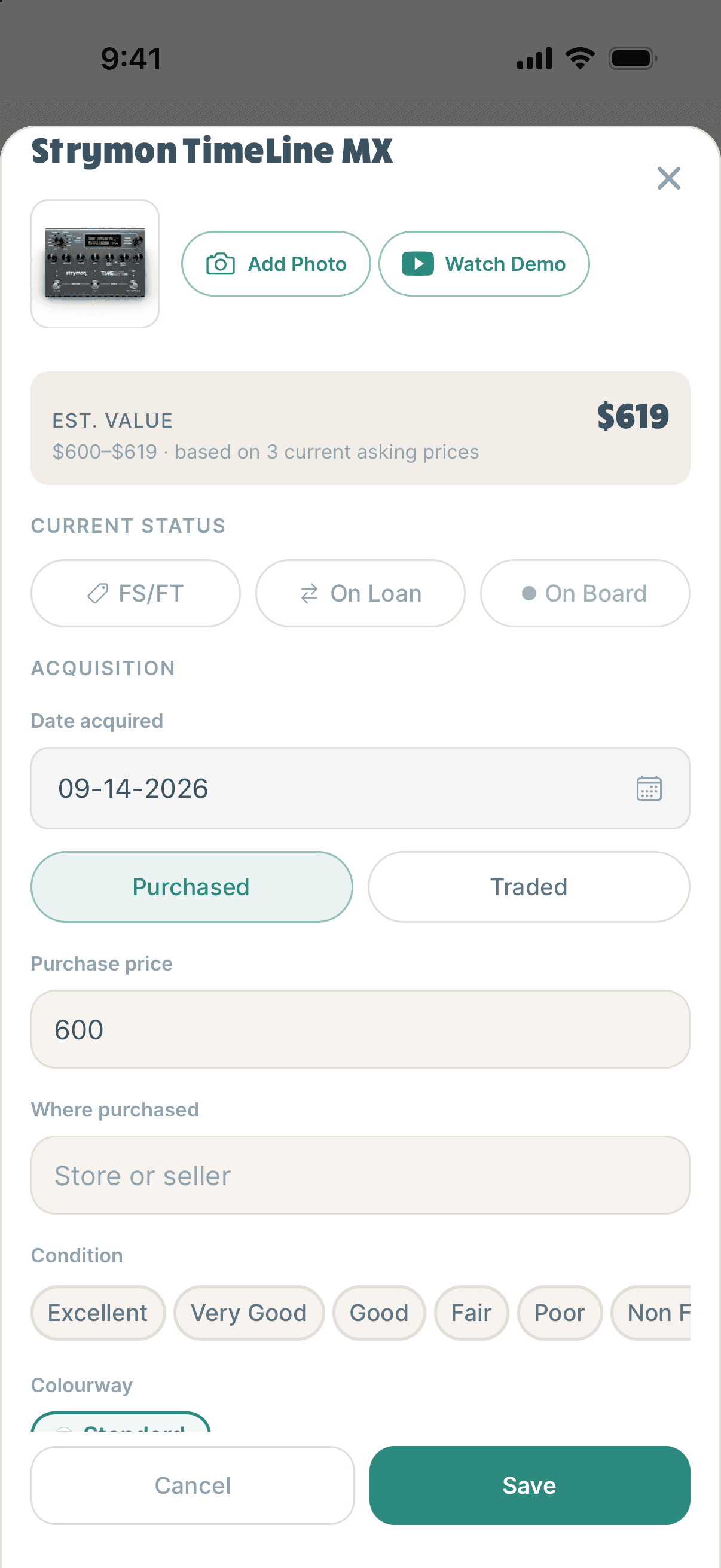
- AAdd Photo of your own pedal. Watch Demo finds a video.
- BEst. Value and its range.
- CStatus: FS/FT, On Loan, On Board.
- DAcquisition: when, how, and what you paid.
- ECondition, Colourway: both change the value.
Retire a pedal
- 1Open the pedal and tap Retire this pedal.
- 2Choose Sold or Traded, and add the price, date and who to.
- 3Traded for something? Add it straight into your vault.
Changed your mind? Got it back? returns it to your vault.
Gear History PRO
Everything you’ve moved on, newest first, from Profile → Gear History. It follows trade chains, so you see what each pedal really cost you.
Chapter 6
What it’s worth
A real-world estimate, refreshed twice a day.
Current Reverb listings for the same pedal, blended with what TPC members paid and sold for. Accessories, bundles, mods and outliers are filtered out.
$575–$700 · based on 6 current asking prices
- The range is the middle of the market. Fewer listings, rougher estimate.
- Condition and colourway count. Too few colourway listings? It says it’s showing the standard value.
- If you own more than one of the same pedal, they’re valued separately.
Chapter 7
The GAS list
Every pedal you’re after, and a heads-up when one gets cheap.
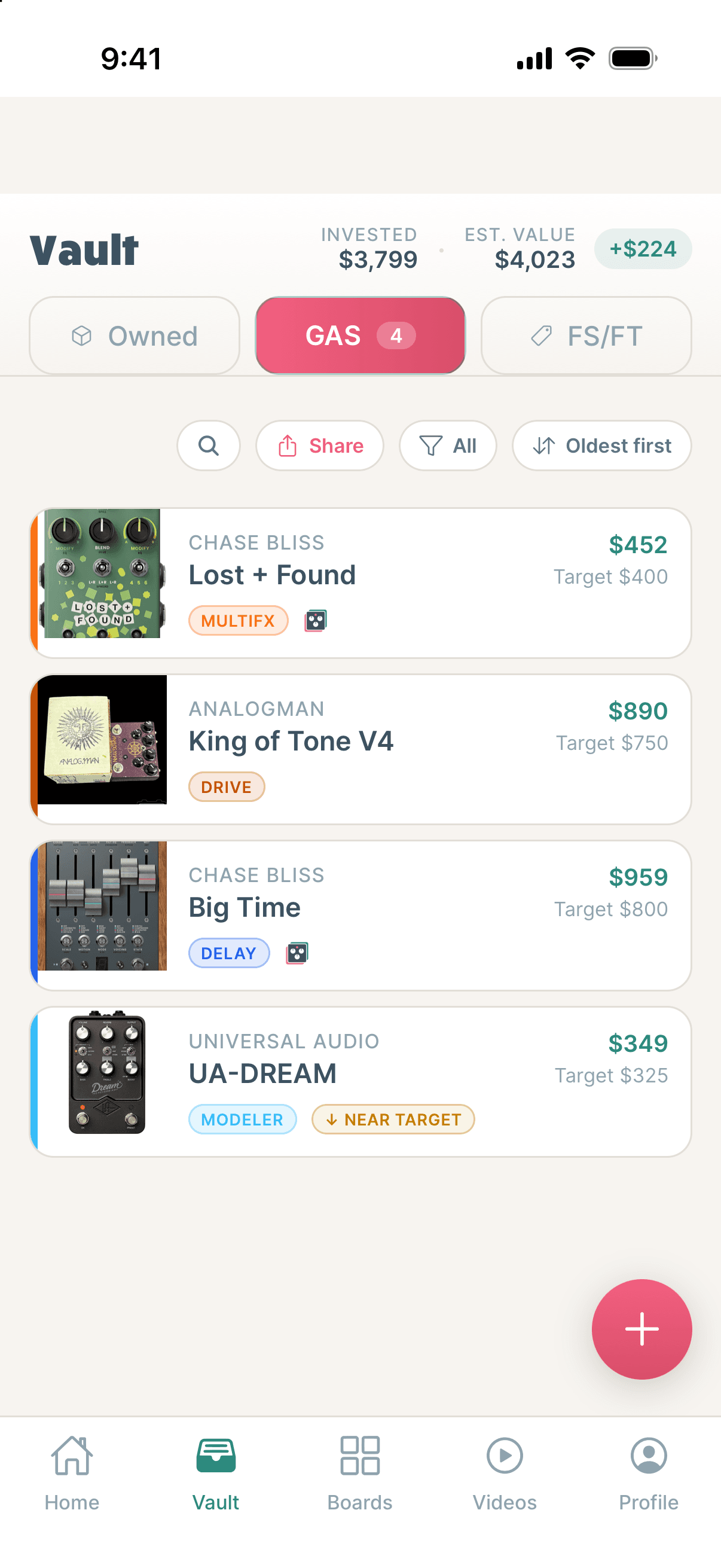
- AMarket value and your target price.
- BNear target: close to your price. Under target: go get it.
- CPrice drop alerts when one is listed at or below your target.
Chapter 8
Selling & trading
Keep track of what’s on the block, and show it off.
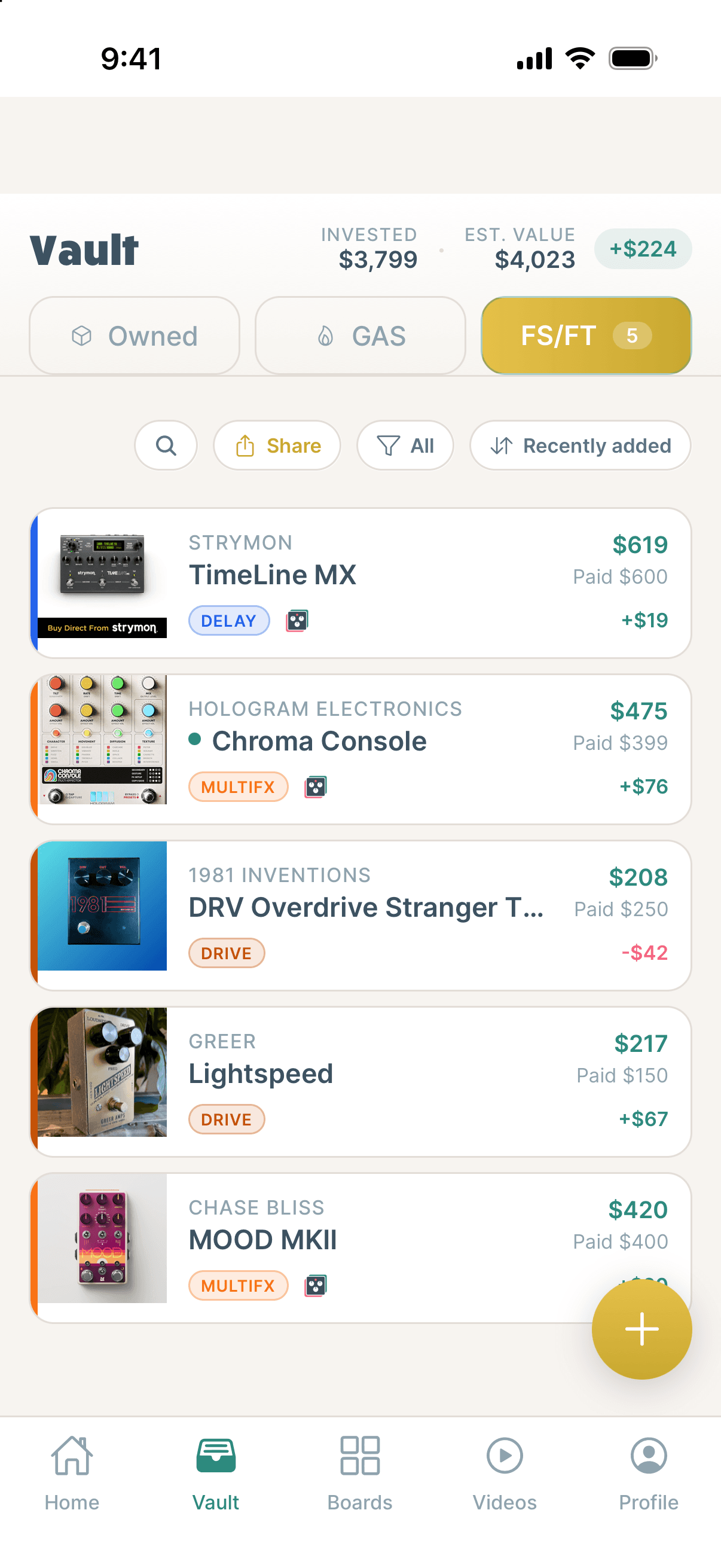
- AFS/FT: everything you’ve listed. Set it on a pedal’s page.
- BShare your list as an image.
- CValue vs paid, to help you price it.
- DSold it? Retire this pedal to record it.
TPC doesn’t handle payments or shipping.
Chapter 9
Boards
Plan boards with the pedals you own. As many as you want.
Build one
- 1On Boards, tap Add a Board and name it.
- 2Search 260+ real boards, or leave it blank for a custom size.
- 3Pick a color and tap Create Board.
- 4Tap Add Pedal. Each lands in the next free spot.
Tap the pencil by a board’s name to rename it or add a description.
The signal chain
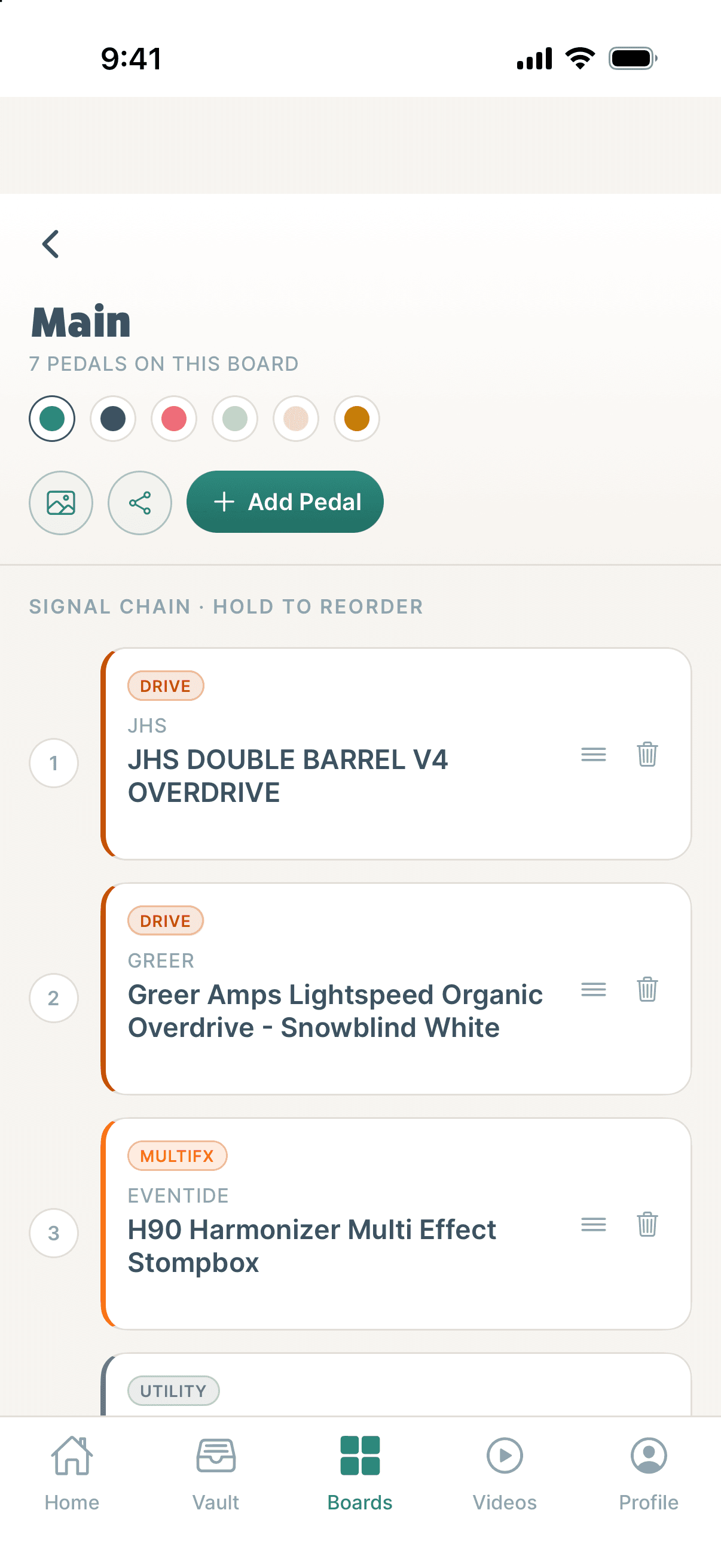
- ABoard color.
- BAdd Pedal from your vault.
- CHold and drag to reorder.
- DRemove from the board.
To scale PRO
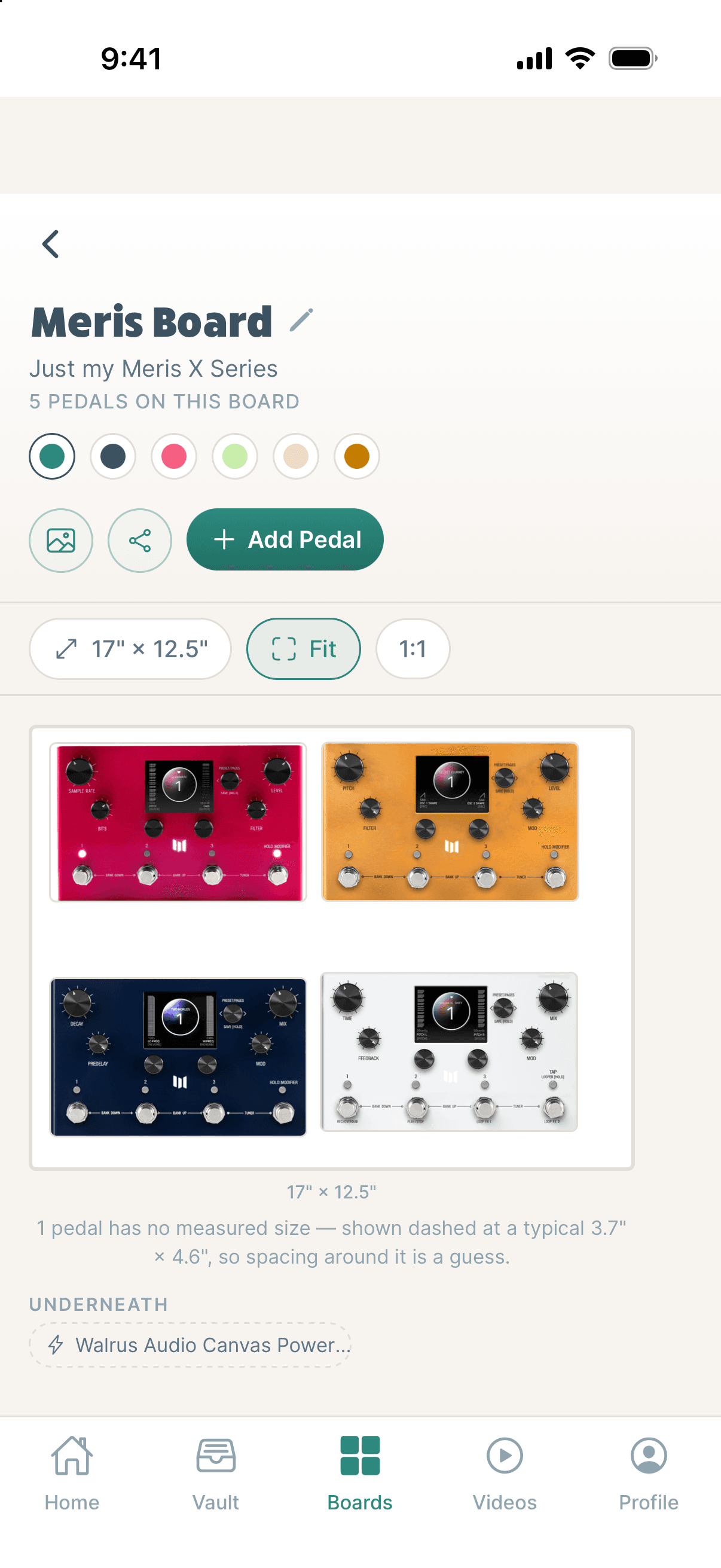
- ABoard size. Change it any time.
- BFit or 1:1. Pinch to zoom.
- CDrag pedals; tap to rotate or remove.
- DUnderneath: power and junction boxes.
Chapter 10
Sharing
Your collection, your wish list, your boards.
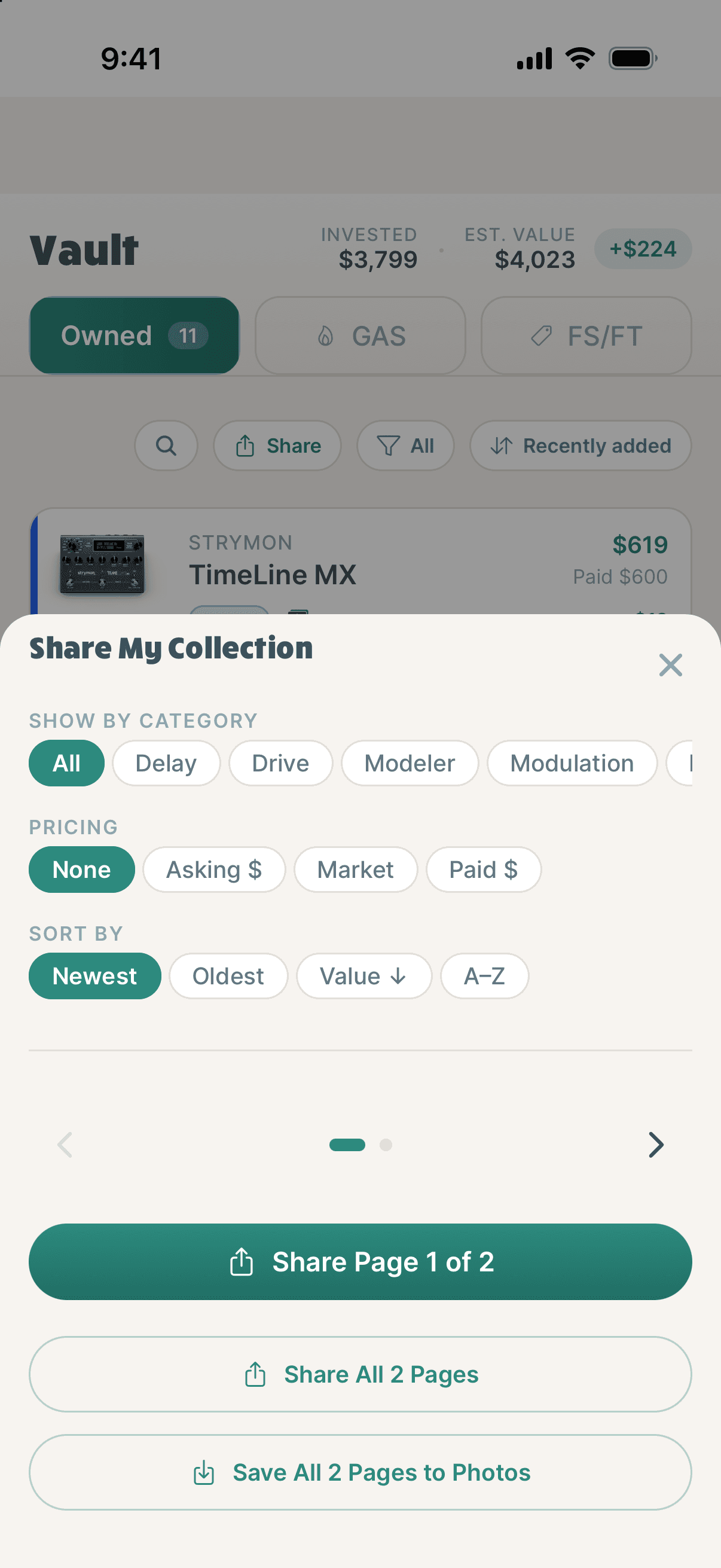
- ACategory. Everything, or choose what to share.
- BPricing. None, asking, market or paid.
- COrder.
- DShare one page, all pages, or save to Photos.
Chapter 11
Profile
Your gear story in numbers, plus settings.
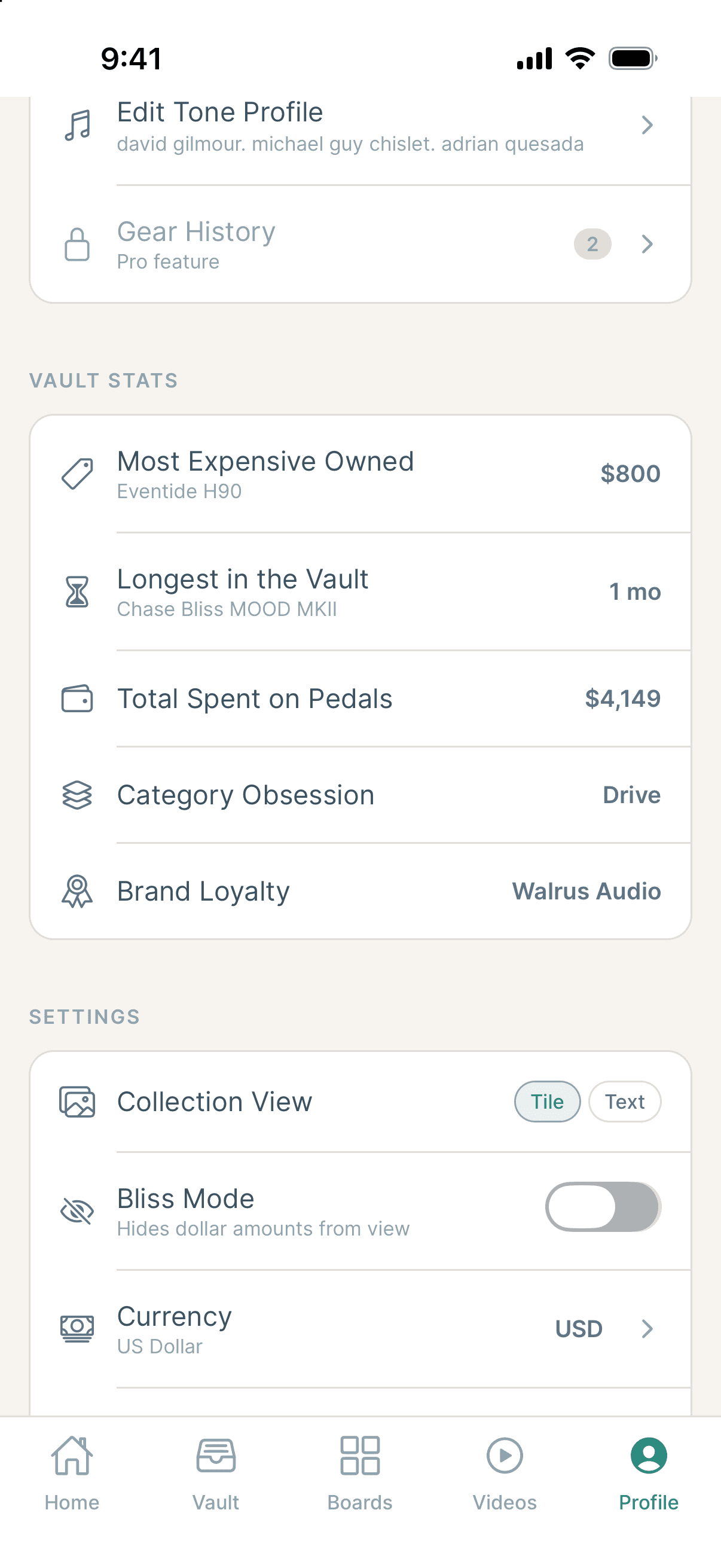
- ATone Profile: players you chase.
- BGear History PRO
- CVault Stats: more as your history grows.
- DBliss Mode hides every dollar, for when you just don’t want to know (or be known).
Also here: currency, notifications, Community Trends, Connect Patreon, and Account Settings. Sign Out and Delete Account are at the bottom.
Chapter 12
TPC Pro
Everything you need is free. Pro goes deeper.
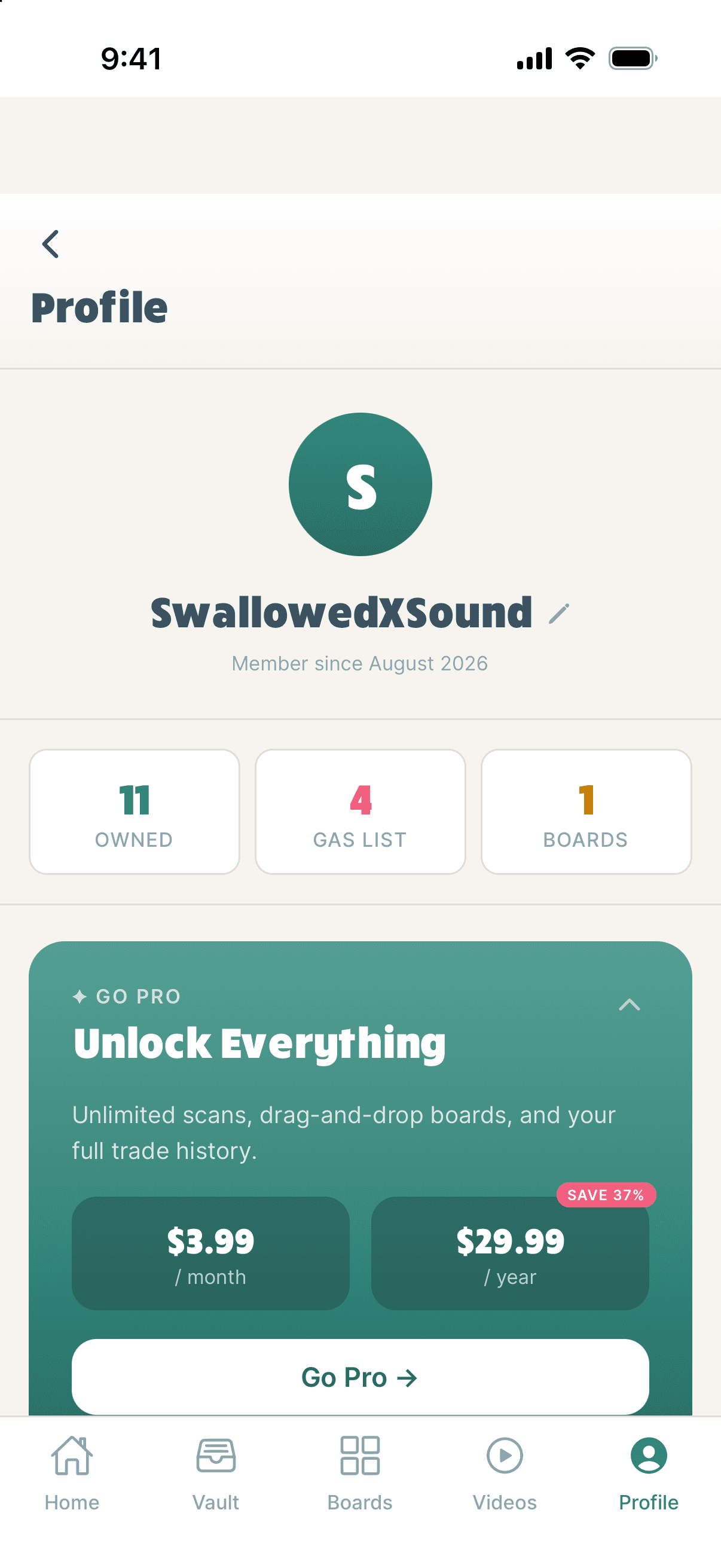
- A$3.99/month or $29.99/year, through Apple.
- BGo Pro on your Profile.
- CUnlimited scans, boards to scale, and Gear History.
- DCancel in iPhone Settings → your name → Subscriptions. New phone? Restore purchase.
Chapter 13
Questions
The ones we get most.
- Is my collection private?
- Yes, unless you turn on Public Vault Profile or share something.
- Can I use TPC on my computer?
- Yes. Sign in at www.thepedalcollaborative.com/login to see your vault, boards and history.
- No value for my pedal?
- Rare pedals may have no listings yet. Until then we use the catalog price or what you paid.
- Scan got it wrong?
- Search by name instead.
- Pedal missing?
- Add it by hand. We review and add it for everyone.
- Delete my account?
- Bottom of Profile. Your data is removed within 30 days.
Now go play.
Still stuck? Email hello@thepedalcollaborative.com with the email on your account.